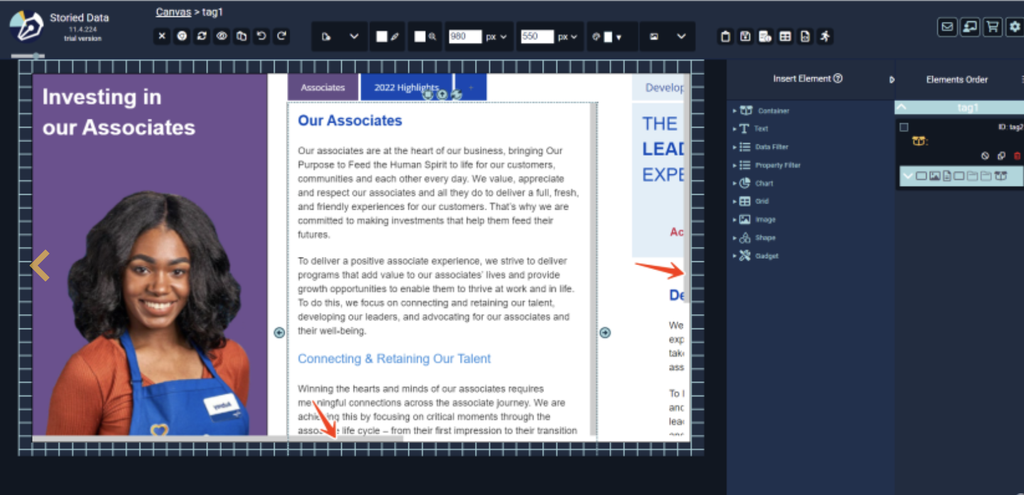
Fit more content into a fixed area by adding vertical or horizontal scroll bars to any container.
Create a container and set its Overflow property to “auto.” Then place a simple container inside it that is taller or wider than the outer container. A scroll bar appears whenever the inner content is bigger than its container.
By adding vertical or horizontal scroll bars, you can fit large tables, long lists or several charts in a set area without crowding your layout.
Click below for the instructions: